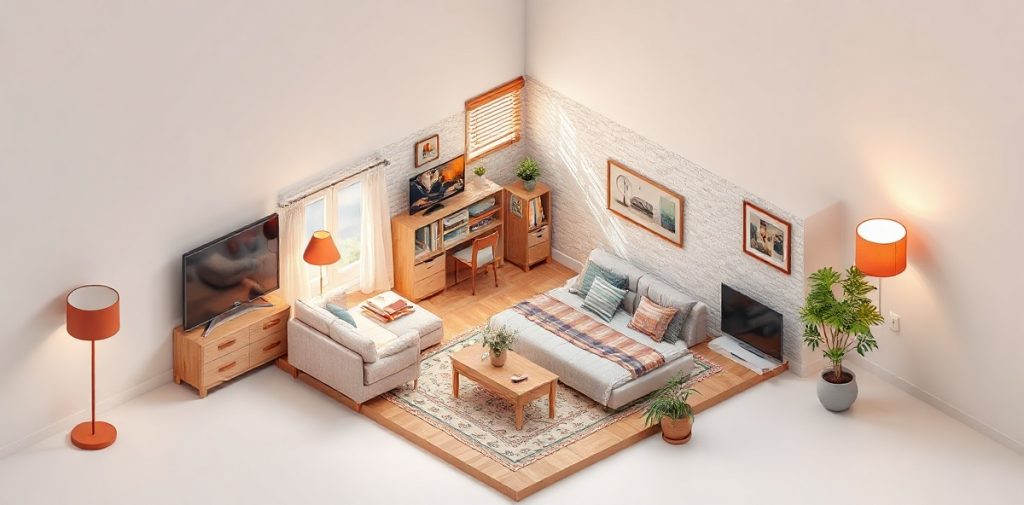
Modern technology is rapidly becoming a part of our lives, and smart homes are an integral aspect of contemporary residential comfort. Setting up a smart home opens the door to automating numerous processes — from managing lighting and climate to ensuring security. In this step-by-step guide, we will explain how to configure a smart home to make it not only convenient but also an effective assistant in everyday life.
You don’t need to be a tech expert to implement smart solutions in your home. We will detail each step, starting from choosing the right devices to integrating them into a single system. Ready to make your home smarter? Let’s begin the journey to automating your living space!
Introduction to the Smart Home Concept
A smart home is a concept that combines various technologies and devices to create a comfortable, safe, and efficient living environment. At the core of the smart home is a central hub that manages all connected devices, ensuring their interaction with each other and with the user. This can be as simple as a lighting system or as complex as solutions that include security systems, climate control, and appliance management.
The benefits of a smart home are diverse. Firstly, automating everyday tasks allows you to save significant time and effort. You can control lighting, heating, and even household appliances without getting off the couch. Secondly, smart technologies enhance the safety of your home — modern alarm and surveillance systems allow you to monitor the situation even from a distance. Additionally, smart devices help optimize resource usage, which can lead to reduced utility costs.
A smart home significantly improves the quality of life for its inhabitants. For example, the ability to automatically adjust the temperature in living spaces creates comfortable living conditions, while lighting systems that adapt to the time of day or level of natural light help create a cozy atmosphere. Furthermore, many devices have remote control functionality, allowing you to manage your home from anywhere you are.
Modern technologies and devices for creating a smart home include a wide range of solutions. Here are some of them:
- Smart Lighting: allows you to adjust brightness and color of light, as well as automate turning on and off.
- Security Systems: include surveillance cameras, motion sensors, and alarms, ensuring the protection of your property.
- Smart Thermostats: can automatically adjust temperature based on your preferences and the time of day.
- Appliances: devices like smart washing machines and refrigerators can perform tasks with minimal user intervention.
Creating a smart home is not only a step towards increased comfort but also an opportunity to make your life safer and more economical.
Planning and Preparation
Planning and preparing for setting up a smart home starts with a clear understanding of your needs and desired features. Determine which aspects of your home you would like to automate. This may include managing lighting, security systems, climate control, or multimedia. Consider which usage scenarios would be most beneficial for you and your family. For example, you might want the lighting to automatically turn on when entering the house or for the thermostat to adjust temperature according to the time of day.
The next step is to choose a smart home control hub. The control hub is a device or software that will unify all your smart devices into one system. Make sure that the hub you choose is compatible with the devices you plan to install. There are many options available on the market, including products from well-known brands like Google, Amazon, and Apple, as well as more specialized solutions. Pay attention to functionality, app availability, and the security level of the chosen device.
After selecting the control hub, it is important to make a list of necessary devices and check their compatibility with each other. You can start with basic devices like smart bulbs, thermostats, and surveillance cameras. Then gradually add other elements such as motion sensors, locks, and access control systems. Ensure that each device supports the communication standard you have chosen (e.g., Wi-Fi, Zigbee, or Z-Wave) to avoid integration issues.
Also, don’t forget to plan the installation locations of the devices. Make sure you have access to electrical outlets and Wi-Fi so that all elements function correctly. If you plan to use wired components, pay attention to proper cable routing to avoid connection issues. Preparation and planning at this stage will greatly simplify the subsequent setup and operation of your smart system.
Installing the Basic Infrastructure
To successfully install a smart home, the first step is to create a reliable basic infrastructure. Start by laying the necessary cables and wiring if your devices will be connected wired. Ensure that the cables are of good quality and meet standards, avoiding bends and damage. Proper cable placement is critical to ensuring their longevity and safety. It’s important to think ahead about device placement to minimize cable length and simplify installation.
The next stage is setting up Wi-Fi and other network connections. Ensure that your router can provide a stable connection throughout your home. It is recommended to use a router that supports modern standards, such as Wi-Fi 6, to ensure fast and reliable data transmission. It is also vital to configure the network so that smart home devices have priority access and do not encounter latency or connection drop issues. If you have a large house or areas with weak signals, consider purchasing additional access points or signal boosters.
Finally, pay attention to the reliability of connections and proper installation of all components. Each device should be securely connected, and all connections should be protected from moisture and mechanical damage. Use appropriate fasteners and insulation materials during installation. Check all connections before proceeding with system configuration. This will help avoid issues in the future and ensure the long-term operation of your smart home.
In conclusion, a well-executed installation of the basic infrastructure will create a solid foundation for the subsequent automation and integration of various devices, allowing you to enjoy all the benefits of a smart home.
Connecting Devices
Connecting smart devices is a key stage in creating a comfortable and secure smart home system. Let’s start with an overview of popular categories of devices that can be integrated into your home.
Firstly, smart lighting is not just about managing light through a smartphone app; it’s also about setting scenarios that automatically change brightness and color depending on the time of day or mood. Smart thermostats help you control the climate in your home, optimizing energy consumption and ensuring a comfortable temperature. Smart surveillance cameras provide safety for your home, allowing you to monitor what’s happening even from a distance.
Now, let’s move on to a step-by-step guide for connecting each type of device.
1. **Smart Lighting:**
— Ensure you have compatible bulbs or fixtures.
— Install the app provided by the manufacturer and create an account.
— Connect the bulbs to the Wi-Fi network through the app.
— Set up scenarios and control through the app.
2. **Smart Thermostats:**
— Ensure your heating equipment is compatible with the thermostat.
— Connect the thermostat to the power supply and follow the instructions to connect to Wi-Fi.
— Configure temperature settings through the app.
3. **Smart Cameras:**
— Install the camera in the desired location and connect it to a power source.
— Download the app for camera setup and follow the instructions to connect to Wi-Fi.
— Set up notifications and recording modes.
After connecting all devices, be sure to check their functionality. Ensure that each device responds to commands and that scenarios work correctly. If there are issues, refer to the user manual or the manufacturer’s website for troubleshooting. Common problems may include unstable Wi-Fi connections, incorrect settings, or device incompatibility.
By following these steps, you will successfully connect smart devices and create a harmonious system that simplifies your life and enhances the safety of your home.
Setting Up Automation
Setting up automation in your smart home is an important step that will significantly enhance comfort and convenience. Start by creating automation scenarios that fit your lifestyle. For example, you can set up automatic lighting in the hallway when the door opens or create an evening scenario that dims the lights and activates music at a specific time. These scenarios can be configured through your central hub app, allowing you to easily manage all devices from one place.
Using sensors is another key aspect of automation. Motion sensors can control lighting, automatically turning it on when someone enters a room, while temperature sensors help maintain a comfortable climate in the home. You can configure the system to automatically adjust heating or cooling depending on the current temperature or time of day. This is not only convenient but also helps save electricity since devices will operate only when truly necessary.
Additionally, don’t forget to set up notifications and remote access. Most modern smart home systems allow you to receive notifications on your phone about events occurring — for example, that someone has entered your home or that the room has become too cold. This will provide you with an extra level of security and control. Remote access to your smart home settings allows you to manage devices even when far from home. You can turn lights on or off, check security status, or change the temperature without leaving the office or while abroad.
In summary, setting up automation in a smart home requires attention to detail and understanding your preferences. Creating scenarios, using sensors, and setting up notifications are key steps that will make your life more comfortable and secure. Don’t forget to test each function after setup to ensure everything is working properly.
Ensuring Smart Home Security
Ensuring the security of a smart home is an important aspect that requires special attention during the system setup phase. Start by selecting and installing reliable security systems, such as surveillance cameras and motion sensors. It is important to choose devices that will integrate with your central hub and are compatible with other elements of the smart home system. Cameras should provide good image quality and have remote access capability via smartphone. Motion sensors will help detect unwanted movements in the premises or on the property around the house.
After installing the equipment, integrate alarm and monitoring systems. This may include automating alerts that will be sent to your phone in case of sensor activation or movement detection. Consider connecting the system to a security service, which will provide an additional level of protection. It is important to regularly check the functionality of all devices to ensure their reliable operation when necessary.
Don’t forget about the security of your smart home network. All devices should be password-protected, and access to your Wi-Fi network should be restricted. Use modern encryption protocols like WPA3 to minimize the risks of unauthorized access. Regularly update the software of all devices to protect against vulnerabilities. It is also recommended to use a separate network for smart devices, which will help prevent potential threats from the external world.
In conclusion, here are some recommendations for improving the security of your smart home:
- Regularly change passwords for all devices and accounts.
- Use two-factor authentication where possible.
- Check for firmware updates for all system components.
- Set up notifications for events and alarms on your mobile device.
- Educate all family members on smart home security basics.
By following these recommendations, you can create a reliable and secure smart home system that will protect your residence and ensure comfort in everyday life.
Gradual Implementation of a Smart Home
Gradual implementation of a smart home is a sensible and effective approach to automating your living space. Start with basic functions that will be most useful in everyday life. For example, you can install smart lighting that allows you to control brightness and color of light using your smartphone or voice commands. This will not only create a comfortable atmosphere but also help reduce energy consumption, as you can set up automatic light turn-off when no one is in the room.
Once the basic functions are successfully implemented, you can gradually add new devices. For instance, a security system that includes surveillance cameras and motion sensors will be a great addition to the existing elements. This phased development of the system allows you to avoid large one-time expenses and adapt to new technologies. Additionally, when adding new devices, you will better understand which specific functions you truly need and which ones you don’t.
The advantages of a phased approach include not only the convenience of setup but also budget savings. Initially, you can invest in essential devices, and then, as needed and financially feasible, expand the system. This allows for flexible expense planning and helps avoid unnecessary spending on equipment that may turn out to be unwanted. Moreover, many modern devices have software update capabilities, allowing them to remain relevant and functional over a long time.
When planning a budget for creating a smart home, it is essential to consider not only the cost of devices but also potential installation and setup costs. It is advisable to research the market in advance and compare prices to choose optimal options. It is also important to remember that a good smart home system should be not only functional but also reliable, so it is better not to skimp on the quality of equipment and services provided by specialists.
By following this phased approach, you can create a smart home that meets all your requirements and preferences, providing comfort and safety for the entire family.
Testing and Optimization
Testing your smart home system is an important step that ensures all devices are working correctly and interacting with each other. Start by checking each function: make sure the lighting turns on and off at the designated times, thermostats maintain the desired temperature, and security systems activate when needed. Don’t forget to follow the manufacturer’s instructions, as each model may have its settings unique features. Testing allows you to identify potential problems early and address them promptly.
To optimize the performance of smart home devices, pay attention to several key aspects. First, ensure that all devices are updated to the latest software version. Manufacturers regularly release updates that can significantly improve system performance and security. Secondly, it is advisable to set up automation to match your needs and lifestyle. For example, you can set scenarios in which the lighting and temperature in the house change depending on your presence or the time of day. This will not only increase comfort but also save electricity.
Continuous updating and expanding the system is the key to its long-term effectiveness. Start with basic devices, and then gradually add new elements, such as smart locks, motion sensors, or cameras. It is essential to monitor the compatibility of new devices with the already installed system. Also, do not forget regular checks and testing of new functions to ensure they work correctly within your overall smart home system.
Ultimately, effective testing and optimization of the smart home system will help create not only a comfortable and safe environment but also ensure its reliable operation over a long period.
The Future of Smart Homes
The future of smart homes promises to be not only more technological but also more integrated into daily life. Current trends show that devices are becoming smarter and more capable of adapting to user needs with each passing year. An important aspect of this development is the creation of a unified ecosystem where various devices interact with each other, providing maximum comfort and safety. For instance, lighting, climate, and security management systems can work in sync, reacting to changes in the environment or user commands.
In the coming years, we can expect the introduction of new technologies such as artificial intelligence and machine learning, which will allow smart homes to better predict residents’ preferences. Smart devices will be able to analyze data about user behavior and suggest optimal automation scenarios, such as adjusting temperature based on the time of day or automatically closing windows when it rains. This will not only simplify home management but also improve energy efficiency, which is especially crucial in the context of global climate change.
When selecting technologies for the future of a smart home, it is essential to consider several important factors. First, choose devices that support open standards and protocols, which will allow you to integrate them into an existing system without problems. Secondly, pay attention to the possibility of software updates; this ensures your device remains relevant and receives new features. Thirdly, do not forget about security: choose solutions with reliable data protection and encryption to safeguard your home from potential cyber threats.
In conclusion, smart homes hold enormous potential that will be realized in the coming years. By approaching the automation of your living space intelligently, you will not only enhance your comfort but also make your home safer and more energy-efficient. Be sure to keep an eye on new products and trends to ensure your smart home remains at the forefront of technology.
Frequently Asked Questions
Where do I start with setting up a smart home?
Start by determining your needs and choosing a central hub.
Can I implement a smart home gradually?
Yes, gradual implementation allows you to adapt to new technologies and save budget.
How do I ensure the security of my smart home?
Use security systems, install cameras, and monitor the reliability of the network.
How do I test smart home devices?
Check each device after connecting and set up automation for optimal operation.
Key Takeaways
- A smart home means comfort, security, and convenience.
- Planning and preparation are key stages.
- Automation significantly improves quality of life.
- Gradual implementation allows for savings and adaptation.
- Stay updated on new technologies for future upgrades.