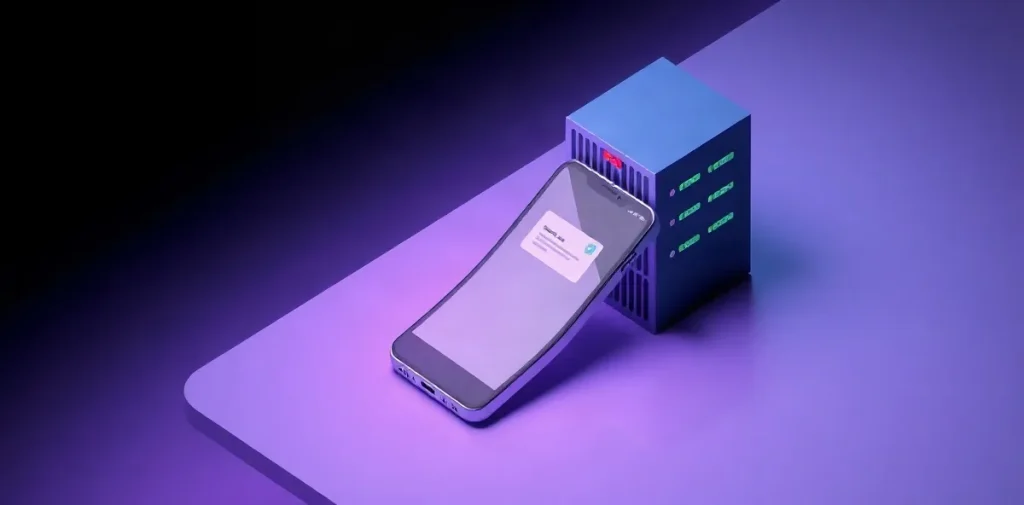
Artificial intelligence can run directly on a device or in the cloud, on remote servers. The first option processes requests locally; the second sends them to a service over the internet. The approaches differ in their connection requirements, the resources they use on the device, and where data is processed.
AI technologies are already found in apps and consumer electronics, but similar features can rely on different systems. Let’s look at how on-device AI differs from cloud AI and how that affects everyday use.
| Criterion | On-device | In the cloud |
|---|---|---|
| Where computing takes place | On a phone or computer | On the service’s server |
| Internet | Not required if the app supports offline mode | Required to send a request |
| Example from the sources | OmegaGPT, on-device Galaxy AI features | Cloud processing in Galaxy AI |
| What to check | Device resources and model availability | Connection and service terms |
- 2 options for where Galaxy AI processes data: on-device or in the cloud
- 1 device where the described OmegaGPT mode runs its computations: on a phone
- 0 accounts required to start chatting, according to OmegaGPT’s description
What does on-device and cloud-based artificial intelligence mean?
On-device and cloud-based AI differ in where a request is processed: an on-device model runs directly on the device, while a cloud model runs on a remote server. In the first case, model files are stored on a phone or computer, and its processor may handle the computations; in the second, the request must be sent over a connection to the service.
Where processing takes place
- On-device AI — the model and computations are on the device. For example, Samsung’s description of Galaxy AI mentions processing document scans directly on the device. This mode does not require sending a request to a cloud service.
- Cloud AI — the request is sent to the service’s server, where a result is generated and returned to the user. A connection to the service is required.
Samsung’s Galaxy AI lets you choose whether data is processed on-device or in the cloud, and change this option in the privacy settings. The choice depends on the task and whether a connection is available: local processing uses the device’s own resources, while cloud processing requires contacting a server. This distinction describes where the computing takes place; it does not guarantee that one mode will always be faster or more accurate than the other.
When is a local neural network more convenient than a cloud service?
A local neural network is more convenient than a cloud service when you need to work offline or choose where your data is processed: OmegaGPT is designed for offline use, while Galaxy AI lets you switch the processing location.
Offline access
OmegaGPT is an example of an app that, according to its own description, performs computations on a phone and works without a network connection. The description also claims that it can be launched without an account and does not collect personal data; these are claims made by the app’s developers, not an independent assessment.
- OmegaGPT: local computing lets you chat with AI without a network connection.
- Cloud service: the request is processed on a server, so a connection is needed to reach it.
Control over data processing
Galaxy AI is a good fit for people who want to choose where data is processed: its settings let you switch between the device and the cloud. Processing a document on-device is an example of a local feature mentioned in Samsung’s Galaxy AI materials.
- Galaxy AI on-device: choose this option when local processing matters; document processing is a specific example.
- Galaxy AI in the cloud: switch processing to the cloud if that works better for the task.
How do speed, privacy, and costs differ?
On-device and cloud AI differ in speed, privacy, and costs: a local request does not wait for a response over the network, data can be processed on the device, and running a model on your own hardware involves upfront costs; a cloud request depends on your connection and the service.
- Speed. OmegaGPT describes local computing and promises responses without network delays, but does not provide speed measurements. In a cloud setup, the request travels over the network and depends on service availability; the sources provide no comparable speed figures.
- Privacy. With local processing, data does not need to be sent to the cloud for computation. However, that does not guarantee that a specific app won’t transmit information for other features, so it’s worth checking its data-processing settings separately. Samsung’s Galaxy AI lets users choose whether data is processed on-device or in the cloud.
- Costs. An article by DNS Club about running neural networks on your own hardware and in the cloud highlights differences in upfront costs and barriers to entry, but gives no comparable prices. So without assessing a specific model, hardware, and cloud service terms, there’s no way to say which option is universally cheaper.
What to check before choosing
For local use, find out which data the app actually processes on the device. For cloud use, check whether the service depends on a connection and what its pricing plan includes. The descriptions of OmegaGPT and Galaxy AI show that processing options can vary even between apps, so check the settings of the specific product.
What happens to personal data when a request is processed?
When a request is processed, personal data may stay on the device or be sent to the cloud. In Galaxy AI, users can choose between these options in the settings. On-device AI performs computations on the device itself, not on a remote server; for example, some Galaxy AI features may process data on-device.
What to check before use
Choosing local processing does not, by itself, guarantee that an app won’t send other data. Check the app’s permissions and privacy settings, and find out what information it transmits separately from the request itself.
- Galaxy AI: check the selected processing mode — on-device or in the cloud — and change it in the privacy settings if needed.
- OmegaGPT: the app describes its mode as running on a phone without an account or collection of personal data. Check the app’s current terms before using it: its description of the mode is no substitute for checking its permissions and settings.
For any app, it’s important to distinguish where computations happen from how data is exchanged: a local model may process a request on your phone, but that doesn’t remove the need to check its access to device features and whether it sends data separately.
When might on-device AI or a cloud service be unsuitable?
On-device AI won’t work for you if the required model or feature isn’t available on your device, while a cloud service won’t work if you have no internet connection. The choice depends on the task: for example, Samsung Galaxy AI lets you switch data processing between the device and the cloud, while OmegaGPT is described as an app for local computing.
Device limitations
Local processing is limited by the resources of your phone or computer: the model is stored on the device, and the device’s processor handles the request. Even if an app can work without the cloud, it won’t solve a task if the device lacks a suitable model or feature.
- Local model: check whether the app supports the feature you need and whether the required model is installed.
- Samsung Galaxy AI: you can choose the processing method in the settings, but the availability of specific features depends on the app.
Dependence on a connection
A cloud service is inconvenient without a connection: the request must reach the server, and the response must return to the device. So with an unstable network, this type of processing may be unavailable or interrupted.
OmegaGPT’s claim that it works “without network delays” does not, by itself, prove that a local model is always faster than a cloud model: no comparative test results or specific response times are provided for the app. To choose, it’s more important to check whether the feature you need works offline and how much it depends on connection quality.
How do you choose an option for everyday tasks?
For an everyday task, first compare whether you need the internet, where data is processed, and what resources the model requires from your phone or computer. If a document contains sensitive information, check whether on-device processing is available: Galaxy AI settings let you choose where data is processed.
- Document with sensitive data: check Galaxy AI’s settings and choose on-device processing if it’s available for the feature you need.
- Request without internet: consider OmegaGPT, an app that performs computations locally. Check in advance whether the specific feature you need works offline.
- Getting started without buying hardware: a cloud service lets you get started without owning a computer to run the model. Compare the terms of the specific service; the value depends on them.
With on-device AI, the model and computations are on the device, so before installing it, check the app’s requirements for your phone or computer and make sure enough resources are available. A cloud service processes requests on a server, so internet access and terms of use matter; specific differences in capabilities depend on the service and model.
Frequently asked questions
Does on-device AI work without the internet?
Do you have to send a request to the cloud?
Is a local neural network always faster?
What should you choose for private documents?
Sources
- neural-university.ru — “Lesson 4: Integrating AI into Mobile Devices and IoT”
- club.dns-shop.ru — “Cloud Service or PC — Neural Networks and AI”
- Samsung Uzbekistan — “Galaxy AI | Mobile AI and Artificial Intelligence Features on Devices”
- App Store — “OmegaGPT — Offline AI Chat”
- lenta.ru — “Local AI: Models Available in Russia, Their”
