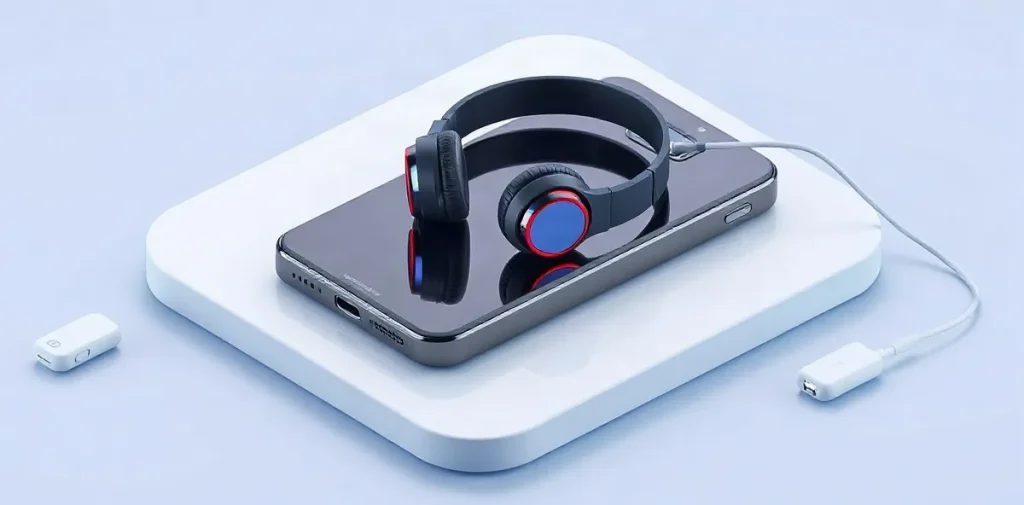
A gadget bar is a space where you can explore electronics, try out devices, or get help choosing and setting them up. When choosing a place, check in advance which gadgets it has, whether you can test them hands-on, and how easy it is to get there.
The name can refer to anything from a product demo space to a bar with charging stations or tech-based entertainment, so first find out what a particular venue actually offers. Check the selection, testing conditions, and type of consultation available—especially if you want to compare devices before buying rather than just spend some time there.
Spending a long time looking at screens can tire your eyes, so if you plan to test devices for an extended period, it’s worth checking whether you can take a break. For more on the causes of discomfort and how to prevent it, see our article, “Eye Strain and Other Symptoms of Prolonged Gadget Use: Causes and Prevention.”
| Purpose | What to check | Specific example |
|---|---|---|
| Play games | Console model and available games | PlayStation 5, Xbox Series X or Nintendo Switch |
| Charge a device | Connector and cable availability | USB-C or Lightning |
| Test a device | Exact model and testing conditions | Smartphone, headphones or smartwatch |
| Use a personal account | Guest mode and how to sign out | Console or shared computer |
- 3 examples of gaming platforms to ask about: PlayStation 5, Xbox Series X and Nintendo Switch
- 2 different charging connectors to tell apart: USB-C and Lightning
- 0 universal service standards required by the name “gadget bar”
What is usually called a gadget bar?
A gadget bar isn’t a single established format; it’s a venue that may offer electronic devices, a place to relax, or access to digital services. One might let you play on a game console, while another might offer a charging station or devices to try out.
What to check before visiting
The name “gadget bar” alone doesn’t tell you what equipment the venue has. If you’re interested in a particular platform, check in advance whether PlayStation 5, Xbox Series X or Nintendo Switch is available.
- Devices: Check whether they have the console, charging station or equipment you want to try.
- Terms: Find out how they charge for gaming time, device rentals, drinks and internet access—these services may be included in different packages or charged separately.
What devices and services might you find?
Gaming and device testing
A gaming gadget bar may have a console, controllers and a display—a monitor or TV. Before you visit, check which games are available and whether you can sign in to your own profile. If they offer device testing, ask for the exact models of smartphones, headphones or smartwatches: category names don’t tell you what you’ll actually get to try.
- Gaming: Check whether they have the games you want and whether you can connect your personal profile.
- Testing: Find out the makes and models of the devices before you visit.
Charging and connectivity
When it comes to charging, available outlets aren’t the only thing that matters—you also need a compatible cable. USB-C and Lightning are different connectors, so the same cable won’t automatically work with every device. Check whether they have the connector you need or allow you to use your own charger.
Wi-Fi, charging, repairs and rentals are separate services, not guaranteed features of a gadget bar. Check in advance: don’t assume you’ll have internet access or be able to get a repair or rent a device unless the venue confirms that it offers the service.
How can you check out a venue before visiting?
Check the gadget bar’s official website or current listing: confirm the address, opening hours and contact details, and check before you set off that nothing has changed. Then ask about the price for your specific plans—for example, a gaming session, device rental or group visit. Don’t assume the venue charges by the hour: pricing may depend on the package you choose.
What to ask before visiting
- Booking and duration: Ask whether you need to reserve a spot or device in advance and how long the package you’re considering lasts.
- Access to personal data: If you plan to sign in to an account on a shared device, find out how to sign out and delete saved data after your session.
- Payment terms: Ask for the price of the specific option you’re considering—a gaming session, device rental or group visit—and check what’s included.
Save the venue’s page or your correspondence with their answers so you can double-check the address, hours and booking details before you go. If the rules for using accounts aren’t clear, it’s safer not to enter your main account password on a shared device.
What should you consider for safety and comfort?
At a gadget bar, check how your accounts, smartphone and payment information are protected. If you plan to stay for a while, also consider the noise, screen brightness and whether you can take a break. On a shared computer or console, use a guest profile if one is available, and sign out of your personal account before you leave.
Don’t leave your smartphone unattended while it’s charging. Before plugging it in, check the cable and connector for damage or dirt. If the venue offers public Wi-Fi, don’t enter payment details on pages that seem suspicious, and don’t approve unexpected account sign-in requests.
Comfort while you relax
Noise and screen brightness affect how comfortable it is to spend time at a venue, and being able to step away from your device makes it easier to take breaks. If you’re planning a long session, check in advance where you can rest your eyes; for more on the effects of screen time, see our article, “Eye Strain and Other Symptoms of Prolonged Gadget Use: Causes and Prevention.”
When might a gadget bar not be the right fit?
A gadget bar may not be right for you if you need a specific model or game, a quiet place to work, an affordable rental, or a guaranteed-compatible charger. The word “gadget” in a venue’s name doesn’t confirm that it has the device or game you need, so check with the staff in advance.
- Model or game. Name the specific device or game and ask them to confirm it will be available on the day of your visit.
- Quiet. A shared gaming area may be noisy and crowded. If you plan to work, ask whether there’s a separate quiet area.
- Rental. Compare the rental cost with the length of your visit and the cost of using your own device. Before taking a gadget, check who is responsible if it breaks and under what terms.
- Charging. A USB outlet alone doesn’t guarantee that your device’s cable or charger will work. Check in advance whether they have the cable you need and whether it’s compatible.
If any of these things matter for your visit, check before you go rather than relying on the sign or a general description of the venue. That makes it easier to decide whether it’s right for what you need.
What should you ask before booking?
Before booking a gadget bar, ask which device models are available, how payment works, whether you can connect your own accessories, and how personal data is removed. Ask them to confirm exactly which console or gadget will be available at your chosen time and whether it has the game you want.
- Devices and games. Ask for the console model, such as PlayStation or Xbox, or the exact model of any other gadget. Check the game’s title and whether it’s available on that specific platform.
- Payment. Find out what the price includes: admission, device usage time, rental or separate services. Ask for the total cost and how it’s calculated—for example, per session or per hour.
- Your own accessories. Ask whether you can bring your own controller, headphones or cable. If connections are limited, find out which connectors or connection methods are supported.
- Accounts and data. Ask how saved data is deleted and accounts are signed out of after a session. Check whether you can play without signing in to a personal account and which features won’t be available if you do.
Frequently asked questions
What is a gadget bar?
Does a gadget bar have to offer a standard set of devices?
Do I need to book a gaming session?
Is it safe to sign in to my account on a shared device?
Key takeaways
- “Gadget bar” isn’t a standard format: check the specific services and devices on offer.
- Before visiting, confirm the console model, such as PlayStation 5 or Nintendo Switch.
- Check how you’ll be charged: for admission, time or rental.
- Use a guest profile on shared devices and sign out of your account.
