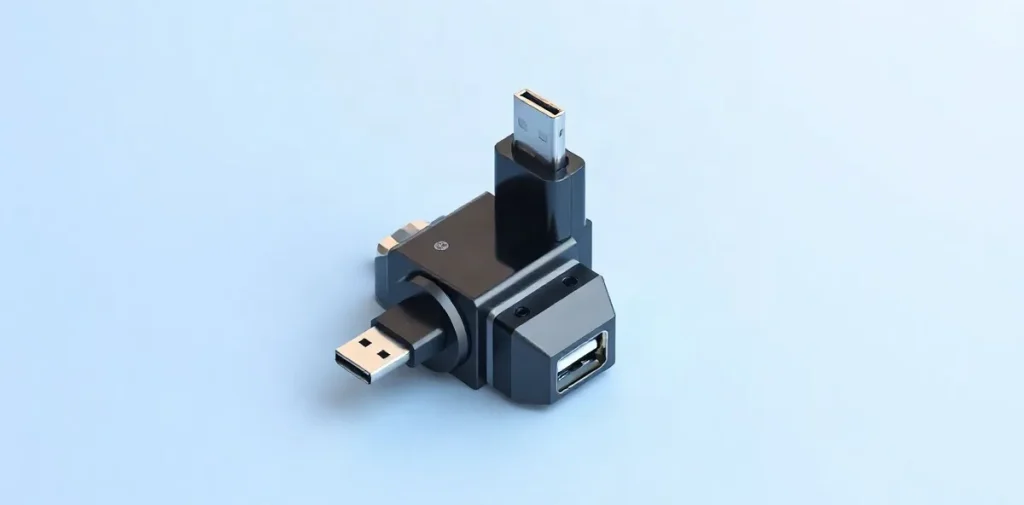
To check whether a smartphone charger is safe, inspect the cable and adapter for damage, compare the charger’s specifications with the phone’s requirements, and monitor how it performs while charging. If the casing is cracked, the cable is frayed, the connector is loose, or the device gets noticeably hot, stop using the charger.
A smartphone charging does not necessarily mean the accessory is in good condition: the risk could be due to a worn cable, a damaged adapter, or unsuitable power specifications. Here’s what to look for and when it’s best to replace the charger.
| What to check | Specific sign | What it means |
|---|---|---|
| Cable | 28/28 AWG marking | Thin cable; up to 1.4 A, slow charging |
| Adapter | Comparison with the original charger | Helps compare output specifications |
| Actual power | Regular USB meter | Shows the parameters of a specific connection |
| Fast charging | Test with an official adapter | Slow charging may indicate incompatibility |
| Adapter provenance | Power rating on the casing | Does not by itself confirm authenticity |
- 28/28 AWG marking for a thin cable
- up to 1.4 A stated current for a 28/28 AWG cable
- 100 W adapter power in the USB meter test example
How do you choose the right charging power for a smartphone?
To choose the right charging power for a smartphone, start with the original adapter and compare the output specifications on its label with those of the new charger: a maximum power rating in watts alone is not enough to confirm compatibility.
Use the original adapter as a reference
The label on the adapter supplied with the smartphone shows the baseline specifications to use when choosing a replacement. Compare the new charger’s output values with these specifications, not just with the maximum power stated on the packaging.
- Original adapter: use its output specifications as a reference when choosing a replacement.
- New charger: compare its label with the original; matching only the maximum power rating is not enough.
- Smartphone and cable: consider them alongside the adapter—a 100 W charger will not necessarily charge a phone faster.
Charging speed depends not only on the adapter’s power but also on the capabilities of the smartphone and cable. If you don’t have the original charger, there is no universal power rating for all models: check the requirements of your specific smartphone.
What should you check on a cable’s label?
Check the cable’s label or product description for the current rating in amps and power rating in watts, then compare them with the specifications of the adapter and smartphone. If the cable or phone limits the current, a more powerful charger on its own will not speed up charging.
What 28/28 AWG means
The 28/28 AWG designation indicates a thin cable; the materials provided state that it supports a current of up to 1.4 A, making it suitable for slow charging. Fast charging usually requires a thicker wire, but there is no universal AWG rating for all smartphones and cables here.
- 28/28 AWG: thin wire, up to 1.4 A; expect slow charging.
- Current and power ratings on the label: compare the values in amps and watts with the smartphone’s requirements and the adapter’s capabilities.
- Fast charging: look for a cable with suitable specifications; a “fast charging” label without stated parameters is not enough to check.
How do you check the actual charging power?
You can check a smartphone’s actual charging power with a USB meter connected between the adapter and the device: the meter shows the parameters of that specific circuit. Compare results only under the same conditions—with the same adapter, cable, and smartphone.
Connecting a USB meter
A USB meter is placed between the charging adapter and the device, such as a smartphone. An adapter rated at 100 W can serve as an example of equipment for this test. This is just an example of a connection; it does not mean that a smartphone needs a charger with that power rating.
- To compare measurements: use the same adapter, cable, and smartphone. If you replace even one of them, the readings apply to a different combination of equipment.
- To check a cable: the 28/28 AWG marking indicates a thin cable; the materials provided specify a current of up to 1.4 A and slow charging for it.
The meter readings describe a specific connection, not the adapter’s provenance or safety. A single measurement does not confirm that a charger is genuine or in good condition: use the readings to check power, and assess the adapter’s provenance separately.
How can you spot an unsuitable or questionable adapter?
An unsuitable or questionable adapter may have label specifications that do not match the smartphone’s original charger, but a similar appearance is not enough to confirm authenticity. Compare the manufacturer and output specifications printed on the casing: voltage in volts, current in amps, and power in watts. A high power rating alone says nothing about where the device came from or whether it is compatible with the phone.
- Manufacturer and specifications. Compare the new charger’s label with the details on the original adapter. A discrepancy is a reason to check the charger’s provenance and compatibility, not proof that it is counterfeit.
- Cable performance. Connect the cable to an official fast-charging adapter and compare the speed. Slow charging may indicate that the cable is incompatible, but it does not prove that the cable is counterfeit. For example, the 28/28 AWG marking denotes a thin cable rated for up to 1.4 A and slow charging.
- USB meter. It can show charging parameters, but it does not confirm the adapter’s provenance or establish that it is safe.
If you cannot verify where the charger came from, do not assume it is safe just because its casing looks neat, it has a label, or a USB meter gives readings. Consider these signs together with whether the output specifications match and how the cable performs with an official adapter.
When should you replace a cable, and when won’t testing help?
Replace a cable immediately if its insulation is damaged or its shape has visibly changed: a USB meter cannot check the integrity of the wire. Slow charging alone does not prove a fault—the cause could be a thin cable marked 28/28 AWG or incompatibility between the cable, adapter, and smartphone.
Limitations of a meter
A USB meter shows the connection’s parameters at the time of the test, but it does not confirm the adapter’s authenticity or detect hidden cable damage. One test is therefore not enough: compare the readings with the cable’s condition and markings, and assess how the components work together.
- Damaged insulation or deformation: stop using the cable, even if the meter shows that it is charging.
- 28/28 AWG marking: this thin cable is rated for up to 1.4 A, so charging may be slow.
- No marking: it is impossible to identify the cable as 28/28 AWG or determine the associated rating of up to 1.4 A from the cable alone.
- Slow charging: check the compatibility of the smartphone, adapter, and cable; do not treat a single measurement as proof of a fault.
If the wire is intact but charging remains slow, check the components one at a time and compare their performance with the smartphone’s original adapter. If the cable is physically damaged, measuring its power again will not make it safe.
Frequently asked questions
What does the 28/28 AWG marking mean?
Can I connect a smartphone to a 100 W adapter?
How can I check charging power without any special knowledge?
Does slow charging mean the adapter is counterfeit?
Sources
- sochi.beeline.ru — “How to choose a fast charger for a smartphone”
- media.mts.ru — “How to choose the right smartphone charger”
- club.dns-shop.ru — “How to check the power and speed of a USB-C cable”
- bilka.com.ua — “How to choose a cable for charging a phone and fast charging”
- ru.komikaya.com — “How to identify a Type-C fast-charging cable”
