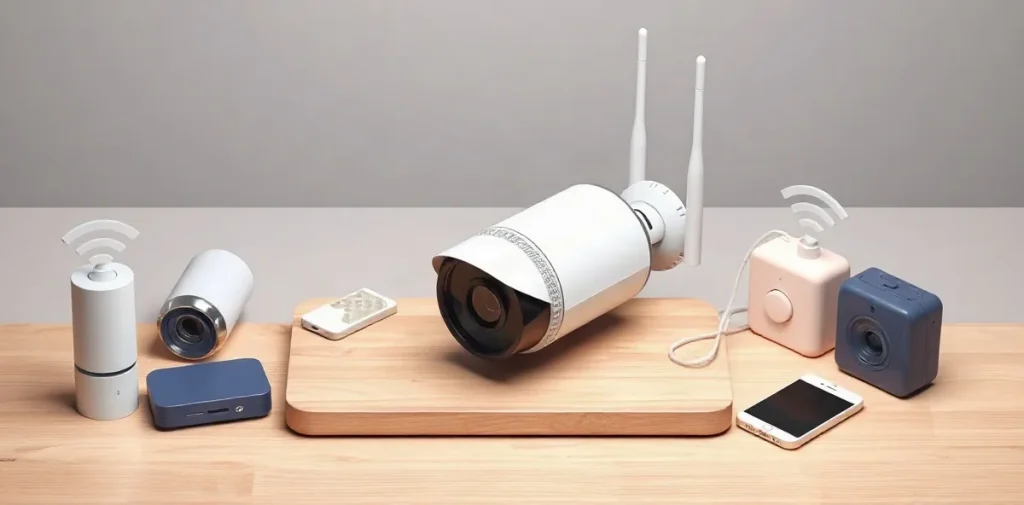
Buying video surveillance today means choosing among various wireless systems that offer ease of installation and flexible usage without compromising signal quality or data security. To make the right choice, it’s important to consider camera types, connection methods, anti-hacking protection, and smart home compatibility.
Wireless video surveillance systems are growing in popularity due to their simple setup and mobility, especially relevant for private homes, offices, and small businesses. However, when purchasing such a system, it’s crucial to understand technical nuances and limitations to avoid signal issues and ensure reliable protection of your premises. Let’s review key points that will help you select equipment wisely and configure your video surveillance properly.
If you want to delve deeper into the technologies, equipment types, and application options for wireless video surveillance, we recommend reading our comprehensive guide «Wireless Video Surveillance: A Complete Guide to Technology, Selection, and Application.» There you’ll find expanded information to help you make the final choice and set up the system according to your needs.
| Model | Resolution | Battery Life | Price, ₽ |
|---|---|---|---|
| Reolink Argus 3 Pro | 2K (2560×1440) | up to 4 months | from 12,000 |
| Hikvision DS-2CD2043G0-I | 4 MP (2688×1520) | no battery | around 15,000 |
| VStarcam C7837WIP | 1080p | depends on battery | 9,500 |
| Arlo Pro 5 | 2K HDR | up to 6 months | from 30,000 |
- 1920×1080 minimum camera resolution for quality video
- 6 months maximum battery life of the Arlo Pro 5 camera
- 50 m indoor Wi-Fi range of the 802.11ac standard
How to Choose a Video Surveillance System Based on Usage Scenario?
Home Systems
For home video surveillance, battery life and ease of installation matter most, so wireless cameras with rechargeable batteries and support for Wi-Fi 802.11ac, which provides up to 50 meters range indoors, are popular. For example, the Reolink Argus 3 Pro model operates up to 4 months on a single battery and is priced from ₽12,000, making it an optimal solution for apartments and small houses.
When selecting a home system, pay attention to video quality — HD or Full HD resolution will deliver a clear picture, and having night vision allows you to monitor the area in darkness. Wi-Fi 802.11ac ensures a stable connection over distances sufficient for most residential spaces.
Industrial and Remote Sites
For offices and industrial spaces, wired connections with PoE support are important, providing stable power and data transmission through a single cable. Hikvision DS-2CD2043G0-I cameras with 4 MP resolution and PoE cost around ₽15,000 and are suitable for comprehensive surveillance in work areas.
For remote locations without reliable Wi-Fi, LTE support is critical. The VStarcam C7837WIP model with autonomous mobile network connectivity is priced from ₽9,500 and is ideal for monitoring cottages, warehouses, and construction sites, offering independence from local networks and power supply.
Which Technical Parameters Affect the Reliability of Wireless Video Surveillance?
Resolution and Signal Frequency
Key parameters affecting the reliability of wireless video surveillance are camera resolution and Wi-Fi signal frequency. Cameras with at least Full HD resolution (1920×1080) provide a clear image, important for object identification. For example, the Xiaomi Mi Home Security Camera 1080p costs around ₽4,500 and offers quality footage with a stable connection.
- 2.4 GHz frequency — provides greater range, suitable for spaces with obstacles.
- 5 GHz frequency — offers more stable connection and higher data transfer speeds but with shorter range.
Batteries and Security
An important technical factor is camera battery life. The Arlo Pro 5 lasts up to 6 months with average use, reducing the need for frequent recharging and enhancing operation reliability. Additionally, modern encryption standards such as WPA3, supported by cameras like the Netatmo Smart Indoor Camera, protect video streams and provide a high level of data transmission security.
How Much Does a Complete Wireless Video Surveillance System for an Apartment or Home Cost?
Starting Budget
The cost of a complete wireless video surveillance system for an apartment or home starts at about ₽35,000 for a basic kit. For example, a set of 2–3 Reolink Argus 3 Pro cameras with a base station costs around ₽35,000, delivering quality recording and battery-powered autonomy without wires. More advanced kits, like Hikvision with PoE cameras and 4 units, start at ₽60,000, offering improved video quality and stable wired connections.
Maintenance and Data Storage
Maintenance and cloud video storage require a separate subscription, which for popular services like Arlo or Nest costs roughly ₽500–1,000 per month. An alternative is local storage on a built-in microSD card in the camera. With a 128 GB card, you can save up to 14 days of footage, avoiding monthly cloud service fees.
- Reolink Argus 3 Pro: kit of 2–3 cameras with base station — about ₽35,000
- Hikvision PoE system with 4 cameras — from ₽60,000
- Cloud storage for Arlo/Nest — ₽500–1,000 per month
- 128 GB microSD in camera — video storage up to 14 days without cloud
What Are the Most Common Limitations and Mistakes When Choosing Wireless Video Surveillance Systems?
Signal Issues
One common mistake when choosing wireless video surveillance systems is selecting the wrong Wi-Fi frequency, which significantly reduces data transmission quality and range. Many buyers prefer 5 GHz without realizing this band poorly penetrates walls and partitions, reducing indoor signal range to just a few meters. Meanwhile, 2.4 GHz offers broader coverage, which is especially important for cameras like the Reolink Argus 3 Pro that operate in this band.
Power Supply and Night Surveillance
Another frequent oversight is ignoring battery capacity in wireless cameras. Cameras with batteries under 4,000 mAh, such as the Xiaomi Mi Home Security Camera, require recharging every 2–3 days, which is inconvenient for continuous monitoring. Also, the lack of backup power or mains connection leads to recording losses during power outages. For night surveillance, it’s critical to choose cameras with IR illumination, as devices without it, like basic TP-Link Tapo C100 models, won’t deliver clear images in the dark.
How to Ensure Data Protection and Security When Using Wireless Video Surveillance?
To secure wireless video surveillance, it’s important to use modern encryption technologies and reliable authentication methods, along with regular device software updates. For instance, Netgear Arlo Ultra cameras support WPA3 and two-factor authentication, significantly reducing the risk of unauthorized access.
Encryption Technologies
- Use of WPA3 standard — provides stronger Wi-Fi encryption than WPA2 and protects against interception attacks;
- Two-factor authentication — an added security layer, implemented in Netgear Arlo Ultra cameras, minimizes account hacking risks;
- Setting up a separate Wi-Fi network for surveillance — limits access and isolates cameras from the main network, reducing compromise risks;
- Using VPN or secure channels for remote access — encrypts traffic when viewing video from remote devices.
Administration and Updates
Regular firmware updates for cameras and other equipment play a key role in fixing vulnerabilities. The Russian Federal Service for Technical and Export Control (FSTEC) recommends updating devices at least quarterly. Additionally, it’s important to manage system access carefully by using strong passwords and limiting the number of users.
Frequently Asked Questions
Can wireless video surveillance be used without internet?
How long does a camera run on battery without recharging?
What is the minimum Wi-Fi range needed for an apartment?
Key Takeaways
- Camera choice depends on the scenario: home, office, or remote site
- Key parameters are resolution, Wi-Fi frequency, and battery life
- Budget for a kit can range from ₽10,000 to ₽60,000
- Common mistakes include wrong frequency and power supply choices
- Data security is ensured by encryption and regular updates