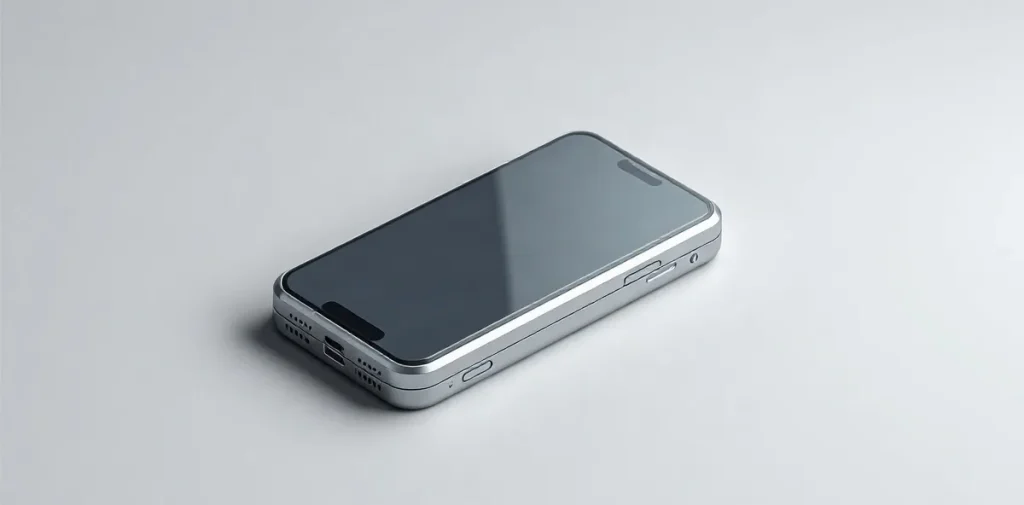
Phones heat up under heavy load, while charging, or when cooling is poor; intense heat is dangerous, especially if it persists while the phone is idle or the case starts to bulge.
A warm case after gaming or recording video does not necessarily mean something is broken. But if the phone becomes painfully hot, shuts down on its own, or the battery changes shape, stop using it and unplug it from the charger.
Let’s look at why phones heat up, which causes are usually related to workload and which need attention, and what to check before continuing to use your device.
| Situation | Possible cause | What to do |
|---|---|---|
| Long phone call | Processor and network working actively | End the call and check whether the phone cools down |
| Weak signal | Increased effort to maintain a connection | Reassess the temperature with a more stable signal |
| Charging while actively using the phone | Simultaneous load on the phone | Leave the device idle |
| Hot weather | External heat | Move the phone away from the heat source and let it cool |
| Regular intense overheating | Possible problem with the device or battery | Contact a service center |
- 67W power rating of the GaN adapter cited by imiapower as an example
Why does a phone get warm during calls, charging, and everyday tasks?
A phone gets warm during calls, charging, and everyday tasks because the processor and network module work harder and generate heat; moderate warmth alone does not mean the device is faulty.
During a long call, the processor handles the call while the network module maintains the connection. The case may feel warm, especially where the signal is weak: the phone has to work harder to stay connected to the network.
Charging adds to the workload, and using the phone at the same time adds even more. That’s why it may get noticeably warmer if you make a call or run a demanding task while it’s charging.
How to tell whether you should be concerned
Consider not only how warm the case feels, but also what happens after the workload stops.
- The warmth fades after a call or task ends: this is consistent with a normal response to workload.
- The phone heats up while charging and in active use: stop using it and let it cool down.
- Intense overheating keeps coming back: leave the device idle and contact a service center.
If the phone is still hot after you end a call, stop charging it, or finish a demanding task, don’t keep putting it under load. Repeated intense overheating is a reason to have the device checked by a service center.
How can you tell normal warmth from overheating?
Normal warmth is usually linked to a specific workload and subsides when the phone is left idle; intense heat that returns during everyday use needs attention.
What to check right away
First, think about what was happening before the phone heated up. A long call, charging, or intensive app use can temporarily raise the case temperature: the device is processing tasks and using power.
- Call. A long conversation puts the phone under load, especially if the network is being used heavily at the same time.
- Charging. If the case warms up while charging, leave the device idle and check whether it cools down.
- Apps. Games and other demanding tasks can explain the heat while they’re running.
- Everyday use. If the phone heats up significantly again during your usual activities, don’t dismiss it as a one-off.
Don’t judge battery health by touch alone: what matters more is whether the heat recurs and whether it’s linked to a specific task. Warm glass by itself doesn’t show whether the battery is in good condition.
Sluggish performance or an overheating warning is a reason to stop putting the phone under load. Leave it idle; if intense overheating keeps recurring, contact a service center.
Why does a phone heat up without demanding apps running?
A phone can heat up without demanding apps because of hot weather, a hot environment, or a cooling fault; regular intense overheating during everyday tasks may also point to a worn-out battery.
Hot weather and heated surfaces make it harder for a phone to release heat. As a result, a routine call or watching content in the sun may warm the case more than it would in a cool room. Move the device into the shade and off the hot surface.
A worn-out battery is worth considering if the phone regularly gets very hot during everyday tasks. Persistent heat speeds up battery aging, so don’t put this kind of overheating down to the weather alone. If it keeps happening, leave the phone idle and contact a service center.
When the fan could be the cause
Not all phones have a dedicated fan. For example, the gaming-focused Red Magic 8S Pro has a cooling system of this kind: if its moving parts get clogged, the fan may cool the device less effectively. This explanation applies only to models with a dedicated fan—there’s no need to look for clogged moving parts in the cooling system of a regular smartphone.
What should you do if your phone gets hot?
If your phone gets hot, stop using it actively and leave it idle to reduce the load on the system and battery.
- While charging: don’t start games, make calls, or run other demanding tasks. Wait for the phone to cool down before using it again.
- To cool it down: leave the device in normal conditions and don’t keep using it, trying to “tough out” the heat. Don’t launch extra apps either: they’ll increase the load.
A phone can heat up while charging and working actively. The important thing is not to add to the load while the device is hot.
When to contact a service center
If intense overheating keeps recurring, contact a service center. They can check the phone and battery; until they do, don’t assume repeated overheating is a normal consequence of use.
Why are a hot phone and a hot charger different cases?
A smartphone’s case heats up because of its system and apps, while a hot charger alone doesn’t establish why the phone is heating up: they’re separate devices, and heat from one does not diagnose the condition of the other.
The case may feel warm while charging and in active use, when the system and apps are running at the same time. The charger’s temperature doesn’t show whether the smartphone battery has overheated: if the phone gets very hot regularly, leave it idle and contact a service center.
What an adapter’s specifications tell you
As an example of a compact adapter, imiapower cites a GaN model rated at 67W. That’s a specification of the charger, not a criterion for phone safety or an indication of how hot its case will get.
imiapower’s materials on chargers also mention EVT testing for GaN-based USB-C adapters. This relates to testing chargers, not diagnosing a smartphone battery.
A separate imiapower guide to business procurement of chargers in 2026 covers technologies and regulatory compliance. This information can help when evaluating adapters for purchase, but it doesn’t replace checking compatibility with a specific phone: before buying, verify compatibility against the smartphone manufacturer’s recommendations.
Frequently asked questions
Is it normal for a phone to heat up during a call?
What should I do if my phone is hot while charging?
Can hot weather make a smartphone heat up?
When could overheating indicate a fault?
Why is the Red Magic 8S Pro mentioned in the article different from a regular phone?
Sources
- iport.ru — “Why iPhones heat up: causes and when it’s dangerous”
- ixbt.com — “Why smartphones heat up while charging—and is it dangerous? / Smartphones and phones / iXBT Live”
- t-j.ru — “Phone heating up: what to do and why smartphones overheat”
- pro32.com — “Why your phone heats up and what to do”
- hi-tech.mail.ru — “Why phones heat up: 4 main causes”