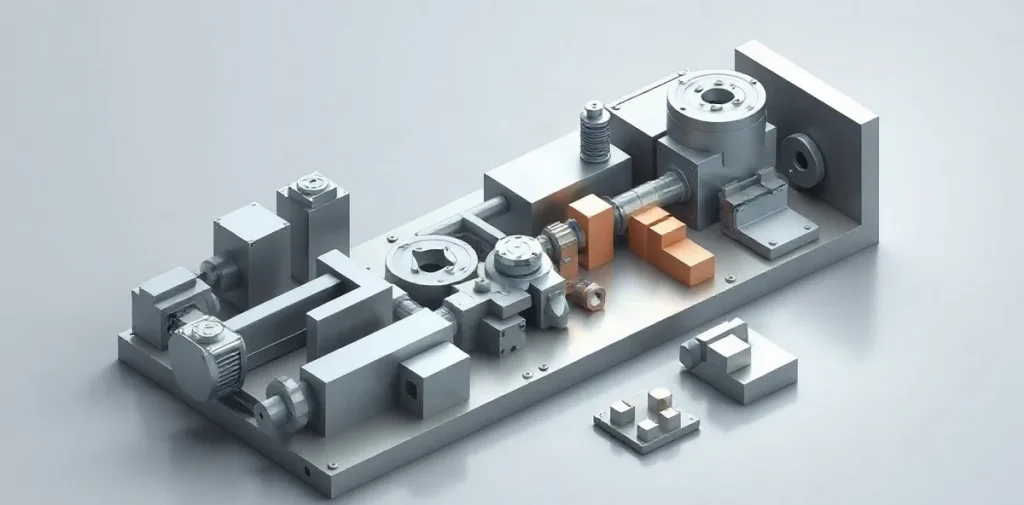
A digital twin helps find defects before a part is made: it is a virtual model used to check a design and how it behaves under specified conditions. If a weak point is found, it can be fixed in the model before spending materials and time on a prototype or starting production.
But a digital twin is only as useful as its ability to accurately represent the real part and the conditions in which it operates. Let’s look at how virtual testing helps identify shortcomings and what to keep in mind so that simulation results don’t create a false sense of reliability.
| Model object | What it describes | Purpose of the check |
|---|---|---|
| Product | Virtual representation of a real object | Review design decisions before manufacturing |
| Production process | Manufacturing workflow and operations | Look for potential errors before the line starts |
| Process with monitoring | Current production information | Spot possible deviations while the process is running |
- 2019 year the article “Industry 4.0 Components: Digital Twins” was published on remmag.ru
- 2022 year the monograph “Digital Twins in High-Tech Manufacturing” was published
- 2 types of objects explicitly described in the article: a real product and a production process
What can a digital twin show before production starts?
A digital twin shows how a part’s design and manufacturing plan may perform before real production begins. For the part itself, it is a virtual model used to check design decisions; for production, it is a description of the process, including the order of operations and how the line runs.
A specific scenario can be tested on the model in advance: for example, how a given sequence of operations moves through the production line and where a failure might occur. If the simulation reveals a potential problem, it can be investigated before it appears on physical equipment. In this way, a digital twin helps find errors not only in a product’s design but also in how it is made.
From a product model to a production model
A digital twin connects a virtual representation of a real object with analysis of the production process. This approach is part of Industry 4.0, where digital models are used to improve manufacturing efficiency and product quality. For a part, the practical idea is simple: first check the design and production scenario in a digital environment, then apply the decisions to the real process.
How do you go from a blueprint to checking a production part?
The path from a blueprint to checking a production part starts with a virtual model of a single product: its geometry and the design parameters that need to be checked for possible errors are entered into the model. Next, manufacturing operations are modelled, likely failure scenarios are checked, and the design or process is adjusted based on the results before production begins.
First the product, then the process
A product’s digital twin describes its virtual form and the parameters specified for testing. To move from a blueprint to modelling, select a specific part and identify which of its characteristics matter for the check; the source material does not provide a universal list of parameters or numerical tolerances.
A process twin adds a sequence of production operations to the product model. For example, you can specify the stages involved in making a part in the order they are expected to take place. This lets you check not only the final shape but also possible problems during production. A virtual representation of the object helps analyse and improve the production process.
Use the model to check scenarios in which manufacturing could deviate from the expected workflow, and compare the virtual result with the production plan. If a potential error is found, use the findings to revise the design or sequence of operations before production begins. This check helps identify production problems in advance, but by itself it does not prove that the physical part is good quality: that must be checked separately.
What data does a digital twin need?
A digital twin needs the product’s blueprint and design parameters, a description of production operations, and data about what is happening on the line. For real-time analysis, information about production must be fed into the model while the line is running. The data set depends on whether the product, the production process, or both are being checked.
Data for the product and production line
- Product model: the blueprint and design parameters used to create the virtual representation of the part. They make it possible to compare the model with what is to be manufactured and look for possible errors before production.
- Process model: a description of production operations and data used to monitor how the line is running. This model represents not only the part but also the sequence of actions involved in making it.
- Real-time analysis: information about actual production must be fed into the model while the line is running. If the data is not updated during the process, the model does not reflect what is happening on the line in real time.
There is no universal list of sensors, data formats, or required fields for a digital twin. The choice depends on the specific task: checking a design requires product data, analysing operations requires process information, and real-time monitoring requires data about the line’s actual operation as it runs.
How can a twin help spot a production error?
Scenario testing and line monitoring
A digital twin helps spot a production error by comparing a virtual scenario for making a part with the real process and highlighting possible deviations before defects appear in a production run. For example, a model can be used to check the sequence of operations and monitor whether the current process follows the intended scenario; the specific checks depend on the production setup and the model itself.
Checking before production starts makes it possible to look for potential problems while the solution can still be changed in the virtual model, without waiting for a production run. During production, the digital twin is connected to current line data: if the process deviates from the scenario, that provides a reason to investigate the possible cause earlier and decide whether changes are needed.
- Before production: check the manufacturing scenario and adjust it in the model before physical production begins.
- During production: compare the model with the current process and investigate any deviations spotted.
A digital twin is a virtual representation of a real object, and monitoring and modelling help analyse a process in the context of Industry 4.0. However, a model supports analysis and decision-making; it does not guarantee the automatic detection of every fault. What matters is which data it receives and which deviations it is set up to check.
When does a digital twin not guarantee defect-free production?
The limits of a model
A digital twin does not guarantee defect-free production: its checks are only as useful as the accuracy of the product and production process descriptions in the model. If the virtual representation does not account for significant features of the part or an operation, the simulation cannot check their effect on the result.
A twin is also limited by what it knows about actual manufacturing. Without information about how the real line is running, the model cannot reflect changes taking place there, so its findings apply to the specified conditions, not every possible situation. A simulation may identify a potential problem in the scenario being checked, but it cannot prove that no other deviation will arise during production.
A digital twin should be evaluated for a specific project: the remmag.ru article notes that the return on investment in creating one depends on the project, but gives no universal cost or timeframe. Before production starts, it is useful to check three things:
- Does the model describe the product and the key production operations?
- Does the twin receive information about how the process is actually running on the line?
- Which scenarios does the simulation check, and which real-world deviations fall outside its scope?
How can you tell a digital twin from a simple 3D model?
You can tell a digital twin from a 3D model by its purpose: a 3D model shows a product’s geometry, while a digital twin represents a real object or process and is used to analyse and improve production. So a part on a screen does not become a twin just by being there.
A production-process model describes not only the part’s shape but also how it is made: the production workflow can be analysed and monitored to identify possible errors before they appear on the physical line. This approach connects a virtual representation to the real process rather than stopping at visualisation.
A practical criterion
- 3D part model: shows the product’s shape; if that is the end of its role, it is a geometric representation.
- Production-process model: describes the manufacturing workflow and is used to analyse or monitor production.
- Digital thread: a connected record of how an object came into being; Unity distinguishes it from a digital twin in the article “Digital Thread: Definition, Examples, and Where…”
The check is simple: is the model connected to process analysis or monitoring? If so, its purpose goes beyond showing geometry. If not, resemblance to a real part alone is not enough to call it a digital twin.
Frequently asked questions
Can you check a part before it is made?
Does a digital twin have to operate in real time?
How is a digital twin different from a 3D model?
Does a digital twin guarantee defect-free production?
Sources
- remmag.ru — “Industry 4.0 Components: Digital Twins — remmag.ru”
- datafinder.ru — “[PDF] DIGITAL TWIN — DataFinder”
- assets.fea.ru — “Digital Twins in High-Tech Manufacturing”
- dokumen.pub — “Digital Twins of Turbomachines: A Textbook”
- unity.com — “Digital Thread: Definition, Examples, and Where”
