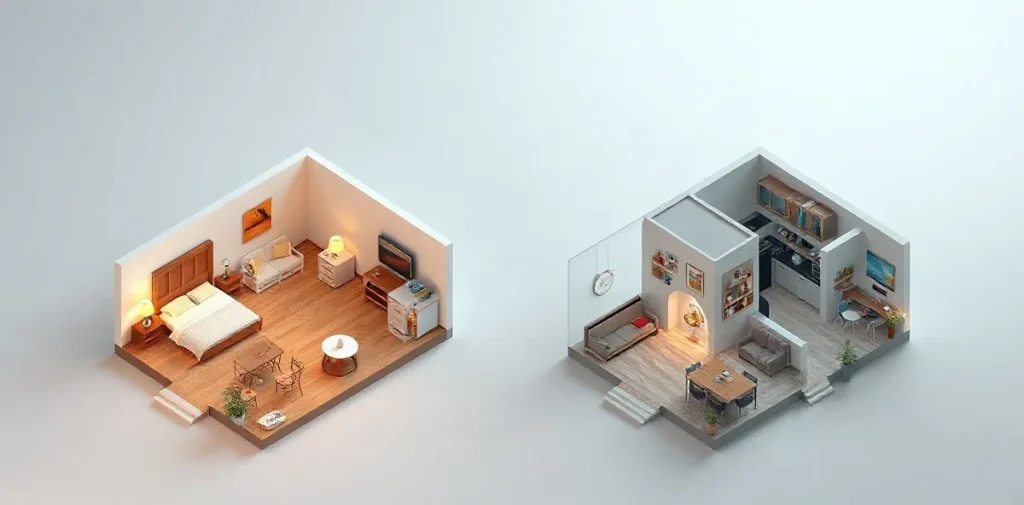
A standard router is usually enough for a small apartment: it’s simpler and cheaper if it reliably covers the whole home. Choose Mesh Wi‑Fi for a spacious home, multiple floors, or areas with a weak signal — several devices create a single network and help extend coverage.
But floor area isn’t the only factor: the layout, walls, and placement of your equipment also affect connection quality. Let’s look at how Mesh Wi‑Fi differs from a router, when the extra cost of a system is justified, and how to choose an option that suits your needs at home.
| Criterion | Standard router | Mesh Wi‑Fi |
|---|---|---|
| Access points | One | Several |
| Suitable size | Small apartment | Large house or multi-room apartment |
| Coverage | Depends on where the single access point is installed | Distributed across several access points |
| Price and setup | Usually simpler and cheaper | Can be more expensive and complicated |
- 1 access point standard router compared with several Mesh access points
- several access points make up a Mesh system that works as a single wireless network
- 0 ₽ extra cost for Mesh if one router is already enough
How is a Mesh system different from a standard router?
A Mesh system differs from a standard router in that it combines several access points into one wireless network, whereas a router broadcasts Wi‑Fi from a single location. That’s why a single router is often suitable for a small apartment and basic needs, while Mesh helps distribute the signal throughout a multi-room home.
- Standard router: One device creates a Wi‑Fi zone around its installation point. If rooms are far apart or separated by walls, the connection may be weaker in the far corners of the home.
- Mesh system: Several access points work together to extend coverage beyond the range of a single access point. This is useful in a large apartment or house where one router isn’t enough to provide a reliable signal in every room.
What to consider when placing Mesh access points
Mesh access points need to be positioned so they can communicate with each other: if you install an additional unit where the main signal is already barely reaching, it won’t be able to extend the network reliably. Mesh also doesn’t connect your home to the internet by itself — you still need an internet line and your provider’s equipment to get online.
In other words, the choice depends on the size and layout of your home: one router is usually enough for a small space, while Mesh can cover more rooms in a multi-room home. But a system consists of several devices and needs careful placement, so it isn’t always worth it in a compact apartment.
When is one router enough for an apartment?
One standard Wi‑Fi router is enough for a small apartment if you mainly browse websites, chat, and connect home devices. The deciding factor is a reliable signal in the rooms where you need it: if the connection doesn’t drop, additional Mesh access points may not make a noticeable difference.
Assess coverage based on the layout and the router’s location, not just the number of rooms. A single access point works if its signal reaches every room where you need internet; if the connection drops in a particular room, first check whether you can move the router to a better location. This may solve the problem without buying extra equipment.
When to consider Mesh
A Mesh system consists of several access points that work as a single network. It’s designed primarily for large areas and multi-room apartments where one router can’t provide stable coverage. Before buying, compare these two options:
- Standard router: A small apartment, basic needs, and a reliable signal in every room where you need it.
- Mesh: Some rooms have no connection, and moving the router doesn’t help; you need additional access points to extend coverage.
When is Mesh a better fit for a large home?
Mesh Wi‑Fi is a better fit for a large house or multi-room apartment when a single router’s signal doesn’t reach every room. Several access points combine into one network and distribute coverage throughout the home; a standard router is usually enough for a small space and basic needs.
Positioning the access points
In a multi-story house or a large home, one access point may not be enough: distant rooms and floors may fall outside the range of a reliable signal. Before choosing a Mesh system, draw up a floor plan and mark the places where you need internet — for example, living rooms, a workspace, and recreation areas.
- One router: Suitable if its signal covers the rooms you need.
- Mesh: Worth considering if there are distant areas, floors, or rooms between the router and the places you need to cover that the signal can’t reach.
A plan will help you decide where to place additional Mesh access points to distribute coverage throughout the home. Also consider the practical side: this type of system can cost more than a standard router and require more complicated setup, so it may be excessive for a small space with no signal problems.
What should you consider when comparing coverage, speed, and device count?
Choose Mesh Wi‑Fi if a single access point doesn’t cover the rooms you need; if a standard router reliably covers those areas, a separate Mesh system isn’t essential. This applies even to apartments with several devices connected to the network: what matters more than the total number is whether those devices need a stable internet connection in different parts of the home.
- Coverage. A standard router works for a small space and basic needs. In a multi-room apartment or large house, several Mesh access points can extend the area with a reliable signal.
- Speed. Additional access points don’t guarantee a faster connection on their own. Their placement and the quality of the connection between them affect the result: if they’re poorly positioned or don’t communicate well, you may not see the improvement you expect.
- Number of devices. Consider not only how many devices are connected, but also where the devices that need reliable internet are located. For example, if they’re spread across different rooms and the router’s signal is weak in some of them, Mesh may help.
A Mesh system combines several access points into one network, but it usually costs more and is more complicated to set up than a standard router. So first check coverage in the rooms you need: if it’s sufficient for your devices, there’s no need to switch to Mesh just because you have several connections.
What should you consider about the price and setup of Mesh?
Mesh pricing and setup usually require more thought than buying a single router: a system includes several access points that need to be connected and positioned as one network. Compare the price of the entire Mesh system with the price of one router, not with the price of a single access point.
- Mesh for a large area. Several access points can cover a large house or multi-room apartment, but their placement and connections need to be planned. Poorly placed access points won’t necessarily improve coverage.
- A router for a small apartment. If you need one access point for basic needs, a standard router may be enough. In that case, comparing its price with a complete Mesh system can help you avoid paying extra for access points you won’t need.
What’s worth paying for
Choose Mesh if your current coverage doesn’t reach certain rooms or a large area: the cost of several access points is then weighed against the problem they solve. If your signal is already good, you don’t need additional access points — compare systems by the number of devices and don’t buy an expanded system just for the option to add nodes.
When won’t Mesh solve the problem?
Mesh Wi‑Fi won’t help if the problem isn’t related to coverage, or if a standard router already provides a stable signal throughout your small apartment. In that case, additional access points will make setup more complicated and add costs without solving a problem you don’t have.
Mesh access points need to be positioned so they can communicate with each other: if you put an additional unit somewhere the connection to the main access point is already weak, it won’t guarantee reliable Wi‑Fi in a distant room. Before buying, check exactly where the connection drops — for example, in a bedroom behind several walls or only in the kitchen.
When to look for another cause
- The internet is slow even near the router. Mesh extends the wireless network throughout the home, but it won’t fix problems with your internet connection. If the speed is low near the main router, additional access points won’t solve the problem on their own.
- You already have the coverage you need. For a small apartment where one Wi‑Fi router is enough for everyday needs, switching to Mesh may be an unnecessary purchase.
- You’re not sure where the signal is lost. Don’t choose a system based only on promises of “powerful Wi‑Fi”: first check the connection in different rooms and find out exactly where it becomes unstable. If the signal is weak in just one area, it’s important to determine whether an additional Mesh access point with a connection available to it will help there.
How do you decide before buying?
To decide what to choose for your home — a standard router or Mesh — compare the size and layout of your home with the rooms that need reliable Wi‑Fi: if one access point is enough, get a router; if dead zones remain in a large house or multi-room apartment, consider Mesh.
- Standard router: A sensible choice for a small apartment if one access point’s signal reaches all the rooms you need. For basic needs, you may not need any additional equipment.
- Mesh: Consider a system with several access points if walls, distance, or a complex layout prevent one access point from providing the coverage you need. Mesh devices work as a single network, but a system usually costs more and requires you to set up several access points.
- Compare before buying: Mark exactly where the connection drops, which rooms need coverage, and how much a Mesh system costs compared with one router. Also consider whether you’re willing to position and set up additional access points.
Check the placement first
If you’re not sure what to choose, first move your existing router closer to the center of your home and check the signal in the rooms you need. This will help you determine whether the problem is the location of the single access point or whether the coverage is still insufficient; you don’t have to buy Mesh before doing this check.
Frequently asked questions
Do you need Mesh Wi‑Fi for a small apartment?
Is Mesh Wi‑Fi always faster than a standard router?
When should you switch to Mesh?
Does Mesh replace your internet provider’s router?
Sources
- andpro.ru — “Choosing a router: standard or Mesh”
- Best Rating on vc.ru — “TOP 12 Best Powerful Wi‑Fi Routers — 2026 Ranking of Models for Houses and Apartments”
- club.dns-shop.ru — “What Is Mesh and How Does It Work?”
- tplink.com.az — “What Is Mesh Wi‑Fi: A Guide to TP-Link Deco for Apartments”
- forum.ixbt.com — “Choosing a WiFi MESH System for a 360 sq. m Country House [1] — iXBT.com Conference”
