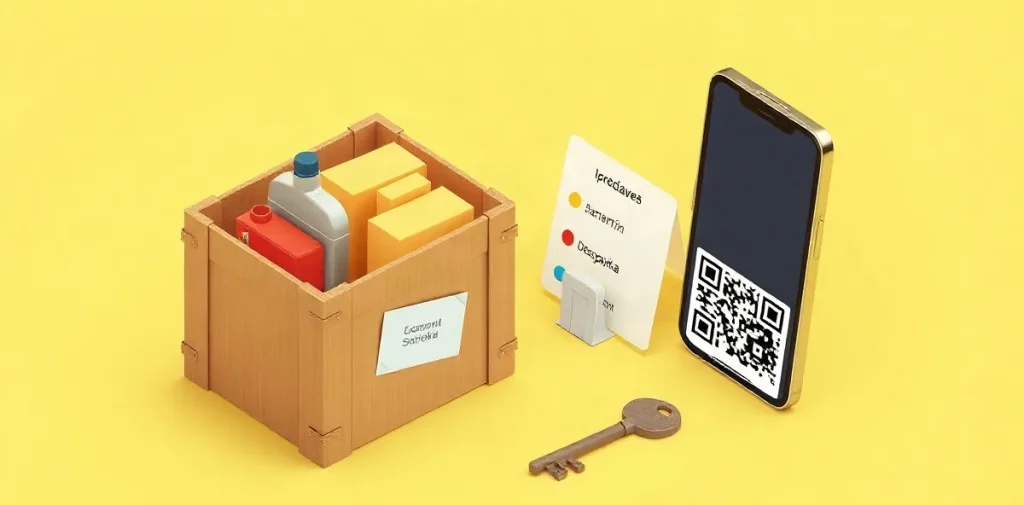
Before paying at an appliance store, check the final price, what is included, delivery and installation terms, warranty, returns, and payment method. Make sure the model in the order matches the one you chose, and confirm that no extra services have been added without your consent.
This checklist will help you complete the final steps of your purchase without rushing and spot conditions that could affect the cost or delivery of your appliance. Take extra care when checking your order if you have arranged delivery, carrying the appliance upstairs, or installation.
| Stage | What to check | What to document |
|---|---|---|
| Before payment | Seller, model, final price | Order and confirmation of the amount in ₽ |
| Delivery | Shipping, carrying upstairs, installation | Cost and scope of each service |
| Warranty and returns | How to make a claim and the terms | Written documents and contact details |
| Self-delivery | Packaging, appearance, included items | Any issues noted before leaving the store |
- 1 QR code Payment method mentioned in the provided description: using a bank’s mobile app and a code supplied by a store employee.
- 1 transport company website Where you can independently get a preliminary delivery estimate to your city.
- 3 checks For self-delivery of a large appliance: packaging, appearance, and included items.
How do you check the Technik appliance store before paying?
Before paying at the Technik appliance store, compare the seller’s name in the product listing with the name on your order, get the purchase terms in writing, and check who will receive your payment. This will help you confirm that the product and price match what the store agreed to when placing the order.
What to check and keep
- Seller. Search for “Technik appliance store,” find the listing for the product you want, and compare the seller’s name there with the name on your order. If they differ, ask for an explanation before paying.
- Price and order. Save the product page, order confirmation, and final amount in ₽. When you receive the appliance, compare its price and promised specifications with the saved terms; if you are collecting it yourself, check its appearance and included items before paying or taking possession.
- Payment recipient. Confirm who is accepting the payment and who will receive the money. If the store offers payment by QR code through a banking app, the code should be provided by a store employee after the order has been agreed.
- Delivery terms. Ask for written confirmation of product availability, handover date, delivery address, and full cost, including additional services. If a transport company is handling delivery, check its rate to your city separately.
Keeping these confirmations lets you check whether the actual terms match those agreed: the seller, product, final amount in ₽, and delivery address. Don’t pay for the order until the store has explained any discrepancies or confirmed the terms in writing.
What should you check in the warranty and appliance documents?
Before buying
Before paying, make sure the order lists the exact appliance model and what is included: an entry that says “washing machine” is not enough to identify the specific product. Find out who is responsible for the warranty—the seller or the manufacturer—where to report a fault, and what documents you will need.
- Model and included items: check the model designation and the list of accessories in the order.
- Warranty: find out who handles claims and what documents you need to provide.
- Verbal promises: if the seller promises a warranty, ask them to include its terms in the order or another document before you pay.
When you receive it
When you receive the appliance, compare the warranty terms with the documents supplied with it and make sure the included items match the order. Keep the receipt and order confirmation: they can help prove your purchase and verify the details in the documents if a fault occurs.
If you are transporting a large appliance yourself, open the packaging at the store, inspect the casing, and check that all the listed items are included before transporting it. If you find a discrepancy or damage, ask the store to document it before you take the appliance away.
How do you compare delivery, carrying upstairs, and installation?
You can compare delivery, carrying upstairs, and installation by asking for separate line items in the quote: before confirming the order, ask the store to list the price of the appliance, shipping, carrying upstairs, and installation work in ₽. Don’t combine them into one total—that way, you can see what you are paying for and what you may need to arrange separately.
- Shipping: if a transport company is delivering the appliance, ask the seller for the shipment details and process; you can get an estimate for delivery to your city on the chosen company’s website.
- Carrying upstairs: ask for the price separately and check that the quote takes the delivery address and required floor into account.
- Installation: don’t assume it is included in delivery. Ask for a list of the work covered and get its cost in ₽ in writing.
Check the order handover terms before paying: ask for the delivery date or time slot, exact address, and rescheduling rules. Also find out who is responsible for the appliance until it is handed over to you; for self-delivery of a large appliance, it is recommended that you open the packaging at the store, inspect its appearance, and check that all listed items are included.
How do you inspect a large appliance when collecting it yourself?
Before taking a large appliance away from the store yourself, open the packaging, inspect the appliance, and compare its contents with the documents and list provided by the seller. Check the product before leaving: damage to the casing or a missing part may make it harder to resolve the issue later.
What to check before leaving
- Packaging and casing. Inspect the box, then the accessible surfaces of the appliance. Look for dents, cracks, scratches, and other signs of damage.
- Model. Check that the model designation on the appliance matches the one in the documents—a box check alone is not enough.
- Included items. Compare the parts and accessories with the documents and the list supplied by the seller.
If you find damage or a missing part, tell a store employee right away and ask them to document it before you leave. Make sure the documents describe the specific issue you found, not just the fact that the appliance was inspected; that way, the record relates to the actual problem.
What should you ask about returns before buying?
Before paying, ask the store to provide its appliance return policy, claims process, contact details, and list of required documents in writing. Ask specifically what to do if you find damage or missing items when receiving the appliance: for self-delivery, it is recommended that you open the packaging at the store to inspect the appliance and check that everything is included.
Don’t confuse different types of claims
Returns, exchanges, repairs, and warranty claims are different options, so ask the seller which process applies to your situation. If the appliance arrives damaged or incomplete, find out in advance where and how to report the issue and what evidence to provide; don’t accept it being treated as an ordinary warranty repair without an explanation.
Keep the receipt, packaging, and correspondence with the store until you have completed your initial checks. Ask the seller whether you must keep the box and what documents you will need to make a claim: there is no universal list in the source terms, so ask the store for its requirements before paying.
When won’t this checklist protect you from problems?
A pre-payment checklist cannot guarantee that an appliance will work properly in every mode, that delivery will cost the amount estimated, or that the seller will honor verbal promises. Opening the packaging helps you spot visible damage and check that everything is included, but it does not replace testing the appliance in operation.
An estimate on a transport company’s website is only preliminary; it does not confirm the seller’s delivery price. Before paying, confirm the final amount and shipping terms with the store and have them added to the order. If you pay using a QR code supplied by a store employee, check the amount and recipient’s name in your banking app before confirming the payment.
What to document before paying
- Delivery: the final cost and agreed terms—a quote on the carrier’s website does not confirm them on its own.
- Carrying upstairs and installation: the exact scope of the service and the timing, if promised by the seller; verbal agreements are difficult to verify after the purchase.
- Payment: the order amount and recipient shown in your banking app after scanning the QR code.
- Appliance condition: its appearance and included items after opening the packaging; this inspection does not confirm that it works in every mode.
Frequently asked questions
Can I pay for an appliance using a QR code?
What should I check if I’m collecting the appliance myself?
Where can I find out the delivery cost to another city?
Should I ask about installation separately?
Key takeaways
- Check the seller, model, and final amount in ₽ before paying.
- Get the warranty, returns, delivery, and installation terms in writing.
- If collecting the appliance yourself, open the packaging and check that everything is included at the store.
- For delivery to another city, get a rate estimate on the transport company’s website and confirm it with the seller.
Sources
- irkraion.ru — “Delivery and installation of large appliances”
- bosch-centre.ru — “Delivery and payment at the online appliance store”
- elmarket.by — “Q&A (frequently asked questions) — Elmarket.by”
- miele-store.ru — “Delivery and payment at the online appliance store”
- hrustalev.com — “How to start an appliance online store from scratch”
